Change your name or email address
Update the name and email we use to contact you.
The name and email you use is private within your organization. We use them to communicate with you for support tickets and billing, but no one else sees these, and they will never be shown in any event information.
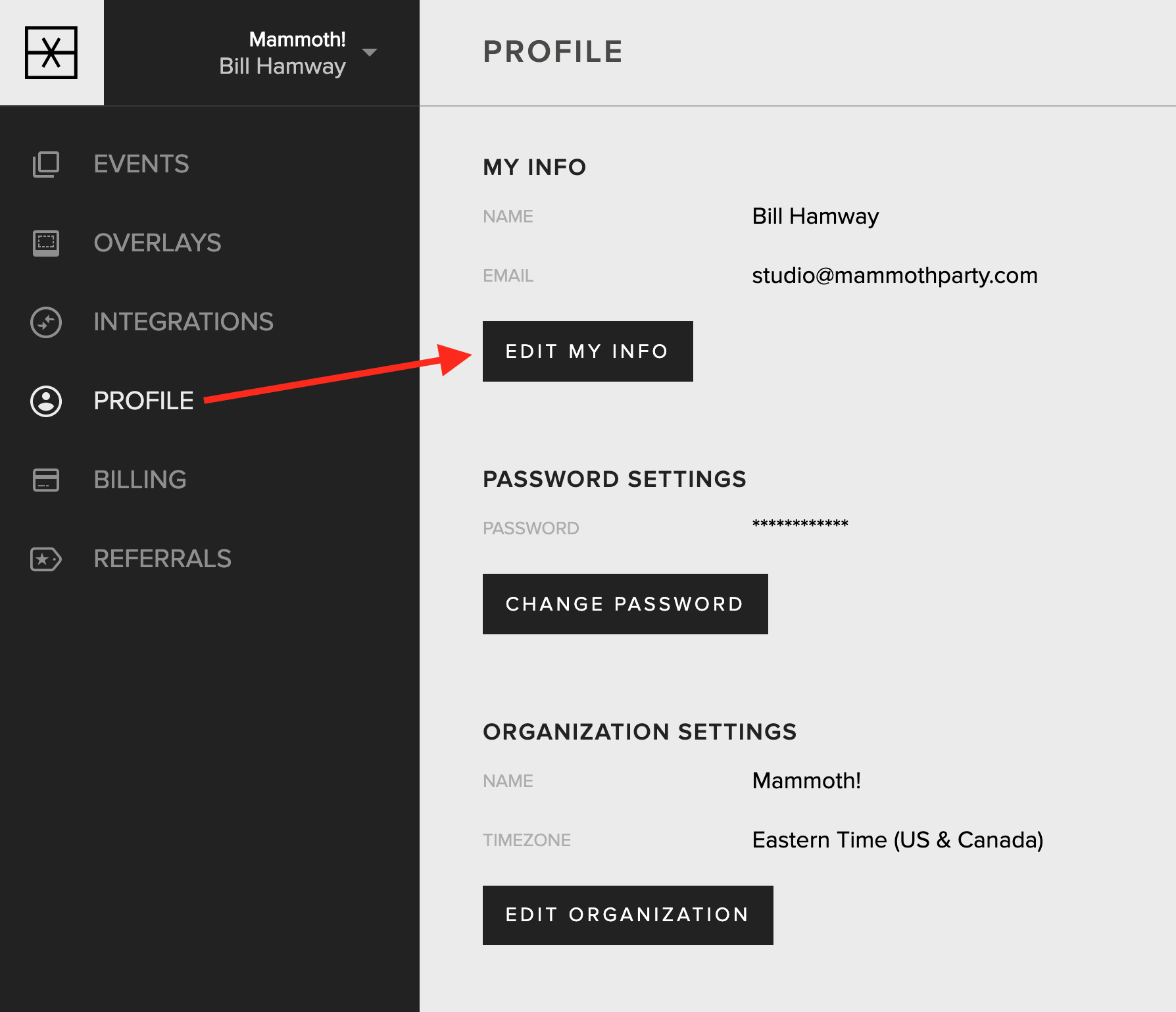
To change your name or email, go to the Profile tab in your account. Find the “My Info” section and tap the “Edit My Info” button.
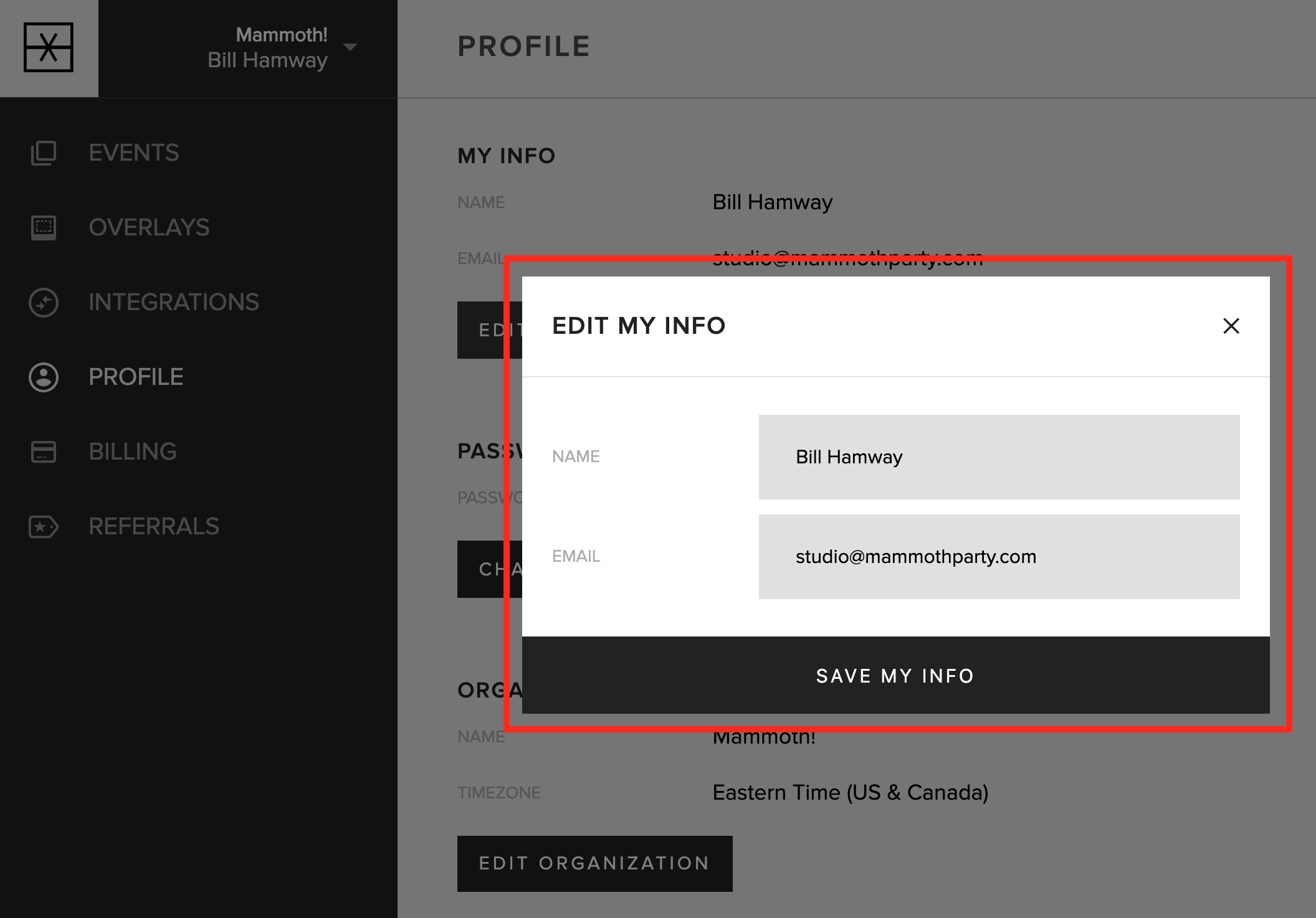
Modify your name and/or email and hit the “Save My Info” button. It’s important that your email is valid, as this is how we contact you.
Updated October 27, 2025