Manage your monthly subscription
Get unlimited live events and photos on the Unlimited plan.
You either have an on-demand account or a subscription account. You cannot buy event credits while on an active subscription, and if you subscribe to the monthly plan while you still have credits in your account, we’ll convert those credits to a balance and apply them to your subscription payment, reducing the cost of your initial month.
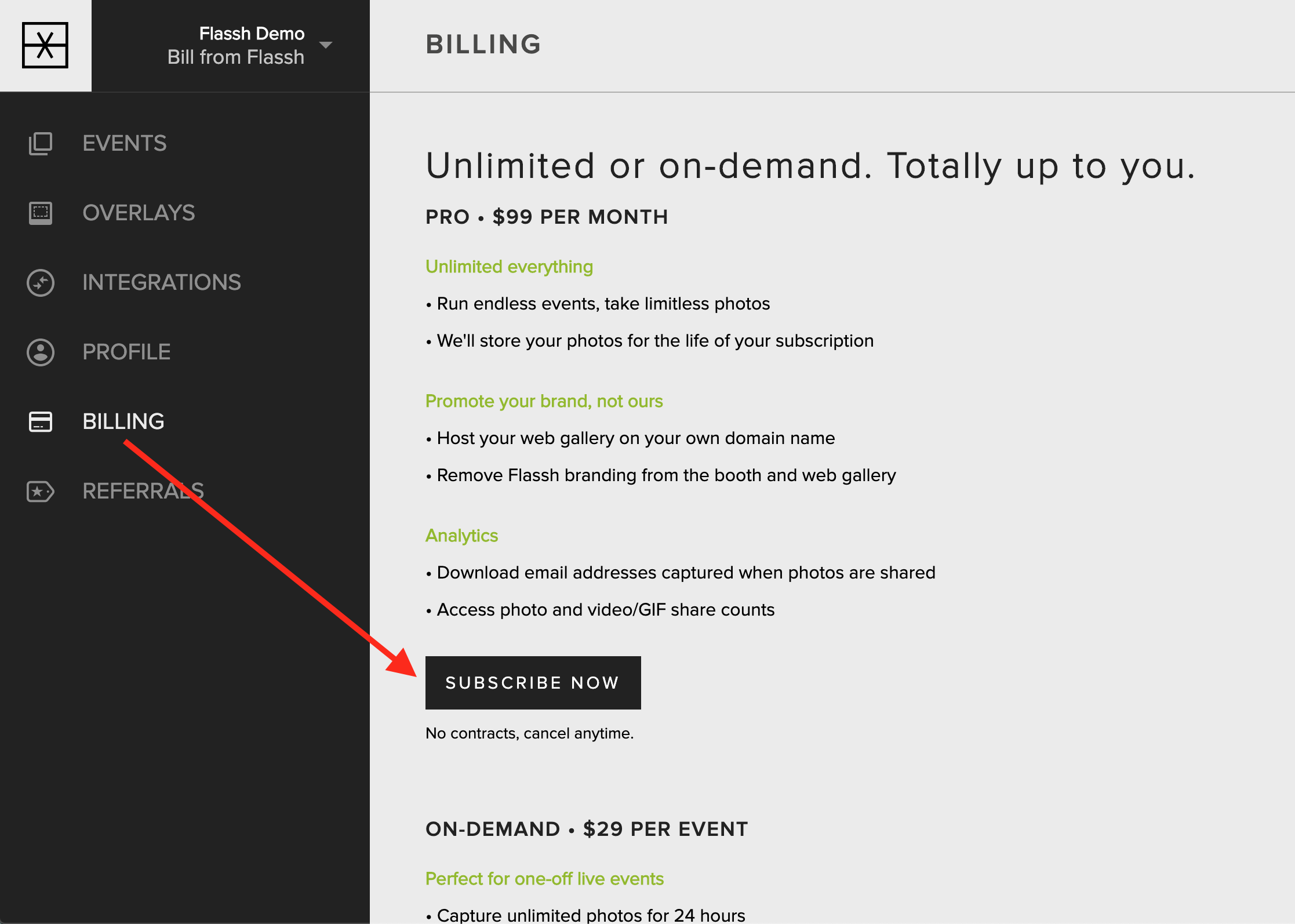
Subscribe to the monthly unlimited plan
Open the Billing tab in your browser.
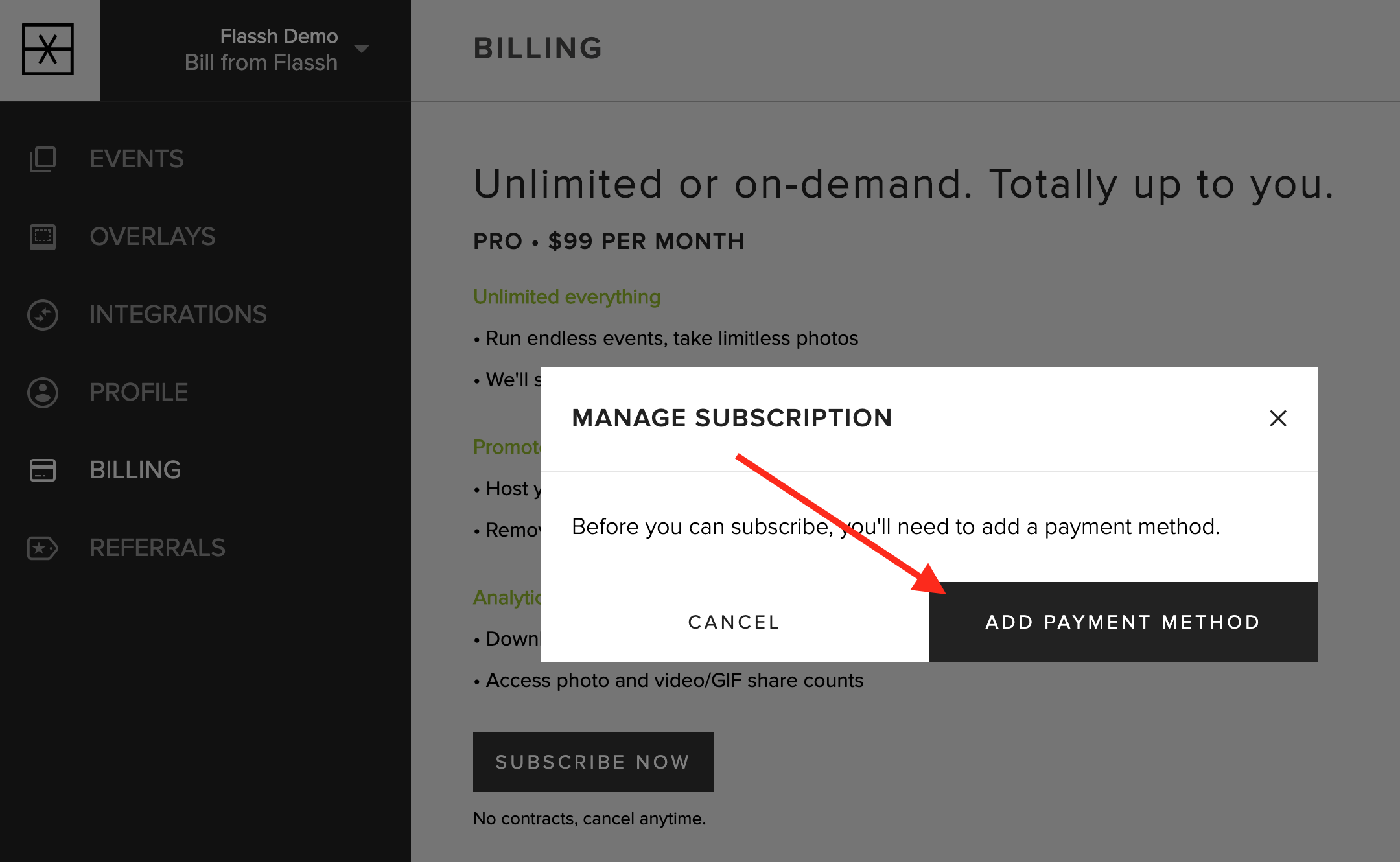
Before you can subscribe, you must add a credit card to your account. Once you have a credit card on file, tap the “Manage Subscription” button.
Note: Subscription purchases are non-refundable.
Cancel your monthly unlimited plan
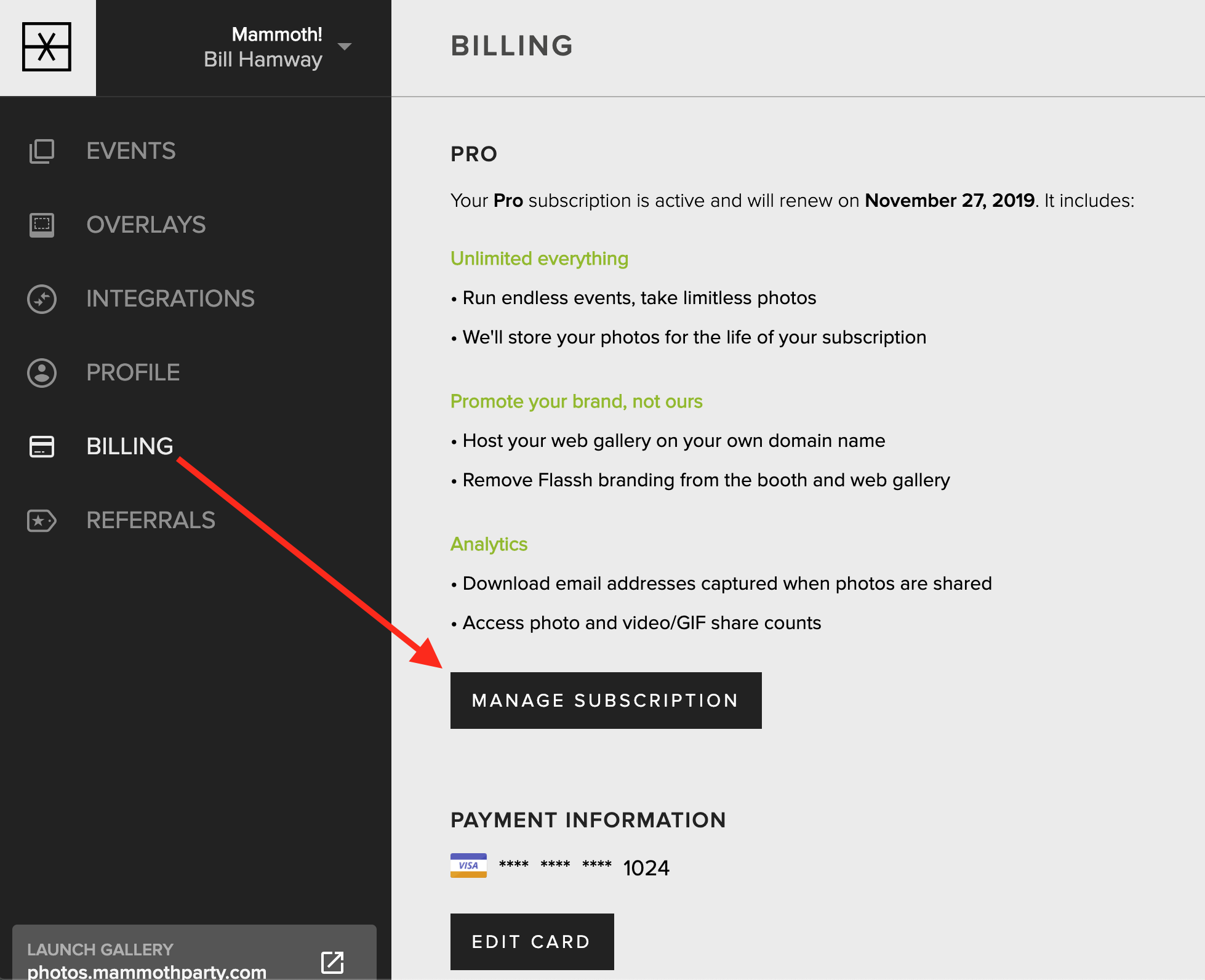
Open the Billing tab in your browser.
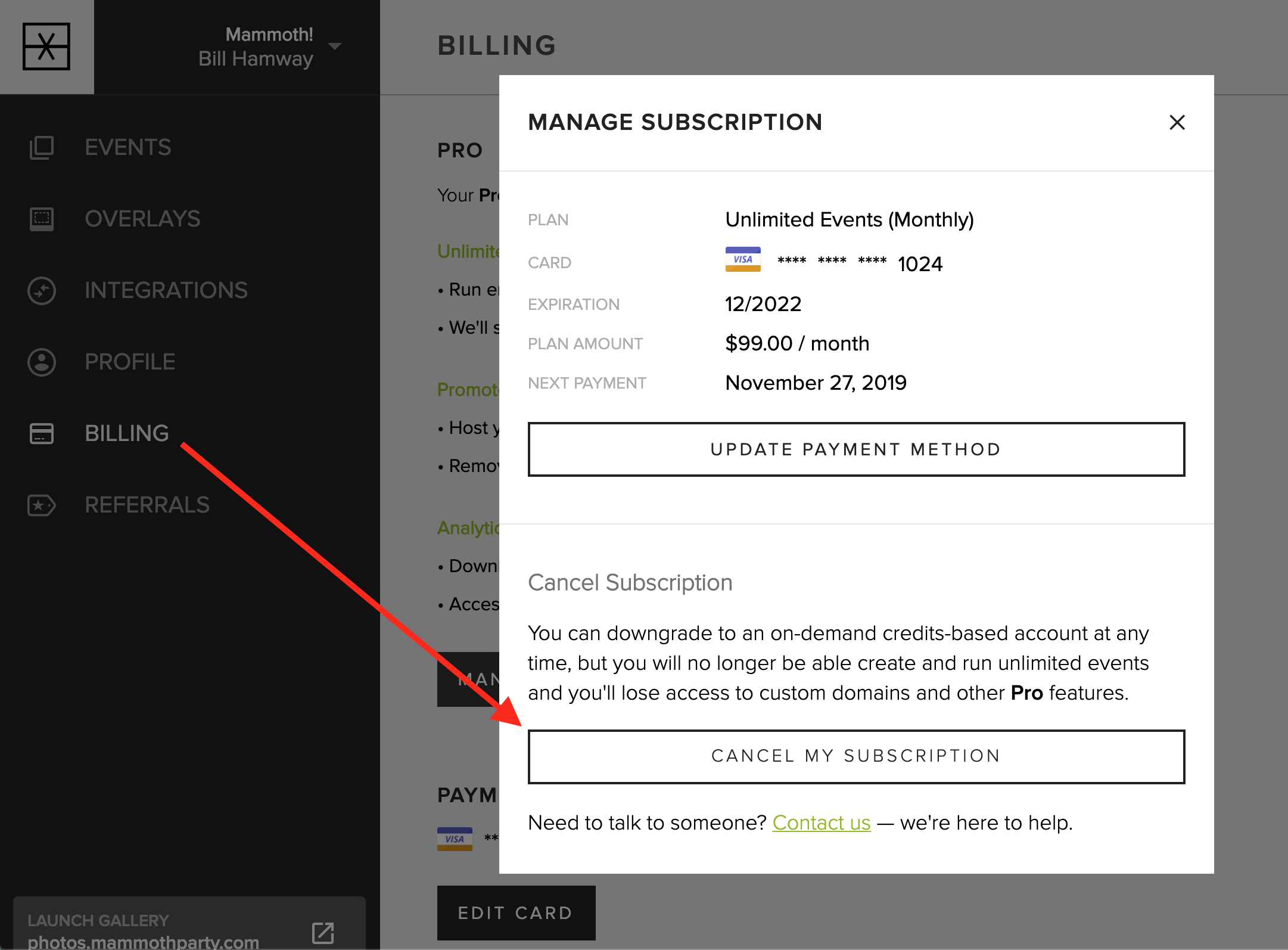
Click the “Manage Subscription” button. If you’re sure you’d like to cancel, click the “Cancel Subscription” button and continue through the confirmation.
Canceling your subscription will keep it active until the end of your current billing cycle, after that time it will not renew.
Note: We do not offer refunds for partial month cancelations. You must cancel your subscription prior to the end of the current billing cycle to avoid being charged again.
Updated October 27, 2025