Download all photos
How to download all of your event photos.
How to download event photo archive
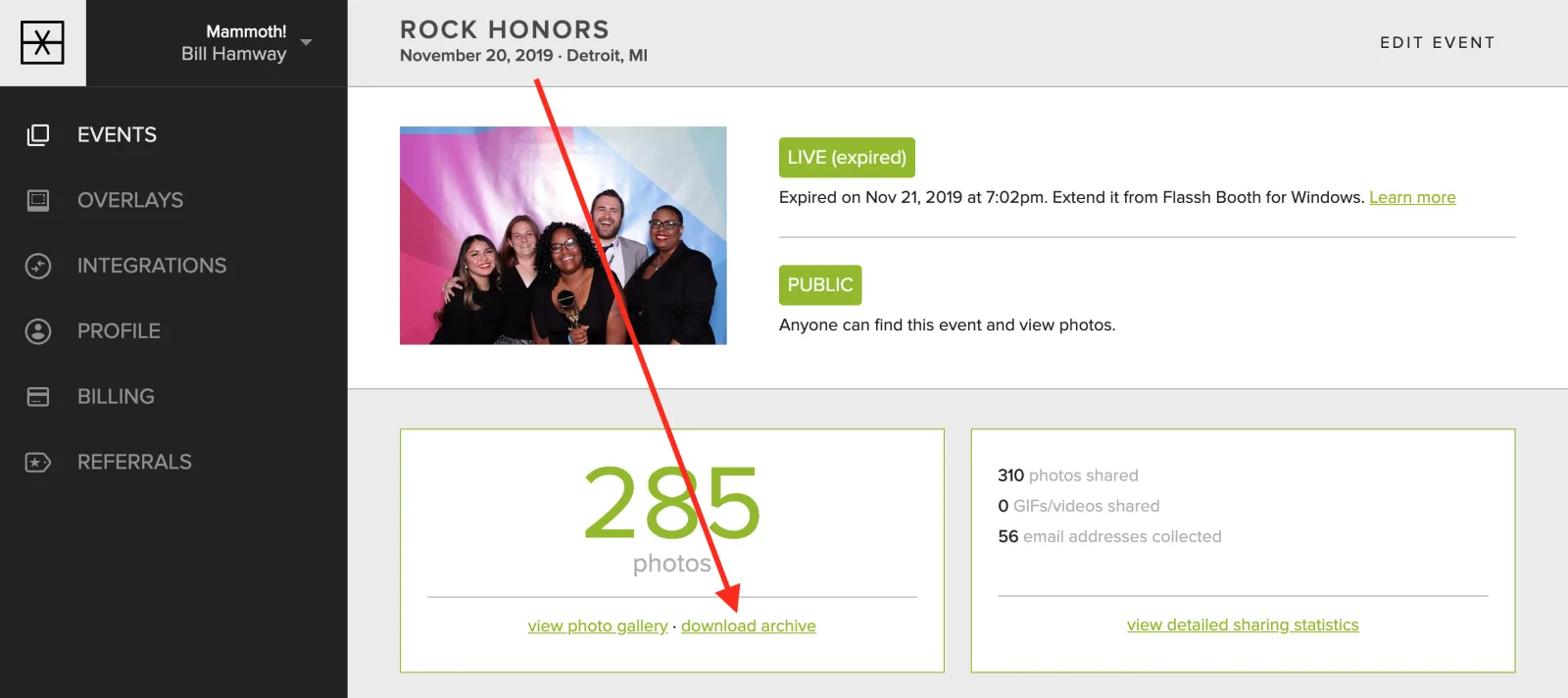
From your Event page, click download archive
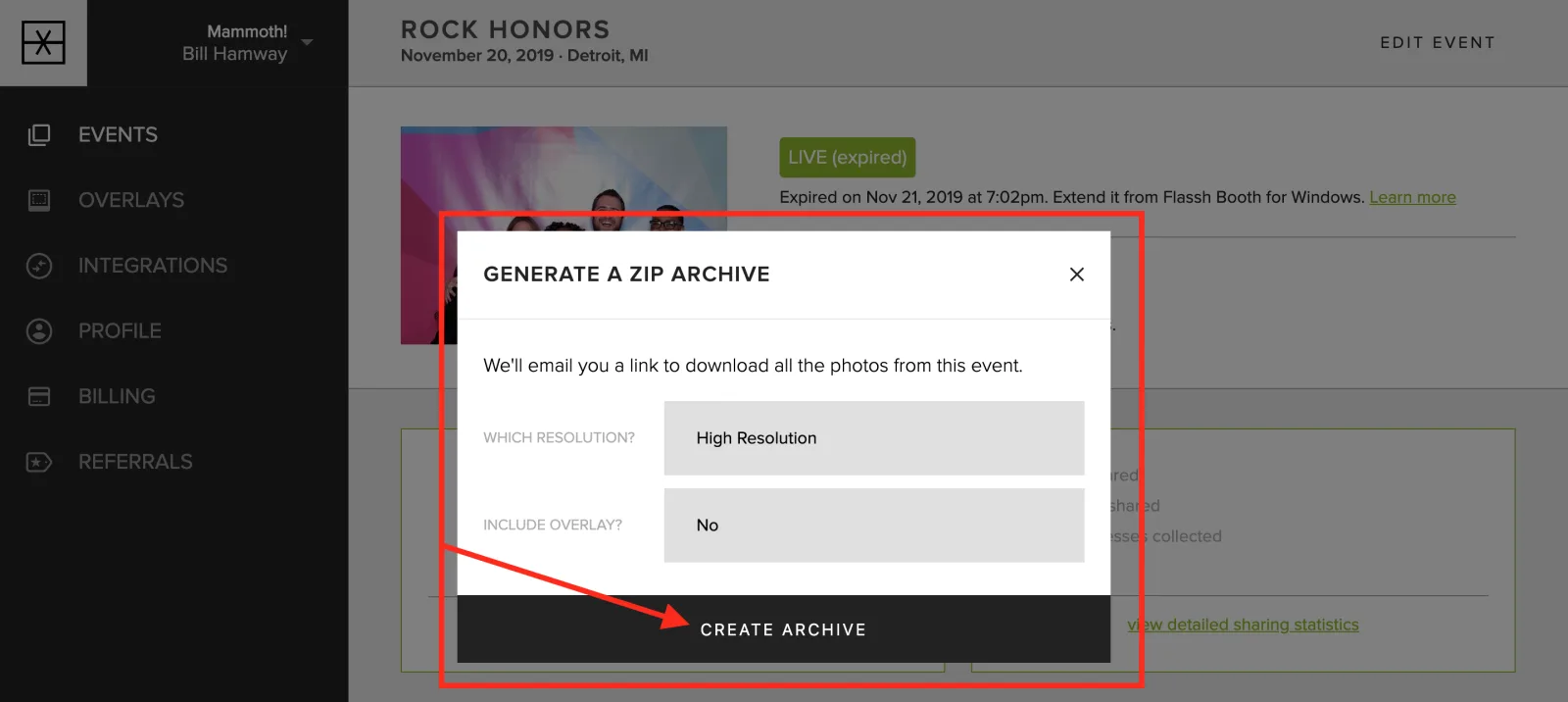
Then choose your settings and click create archive.
You’ll receive an email with a link to download all of your photos.
Updated October 27, 2025